top of page

Flow from schedule registration to lesson
Step 2:Register your available slots so students can book lessons at your preferred times.
Select available time and submit
*Be sure to apply your local time

You can check your registration status and reserved lessons using the calendar.
Step 3:Students will reserve lesson based on your available schedule.
Step 5:Review the lesson material before the class

Click this
Step 6:Join the lesson before the scheduled start time
Click this
Step 7:Start lesson
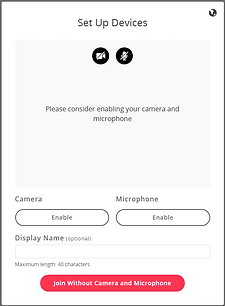
You can set up your camera, microphone, and display.
You can choose your language.
Click this button to share your screen
If you need to change the language settings, please click here.

Chat and Notes section
Watch a video with tips for conducting lessons smoothly.
For issues during the lesson, please refer to the FAQ.
bottom of page